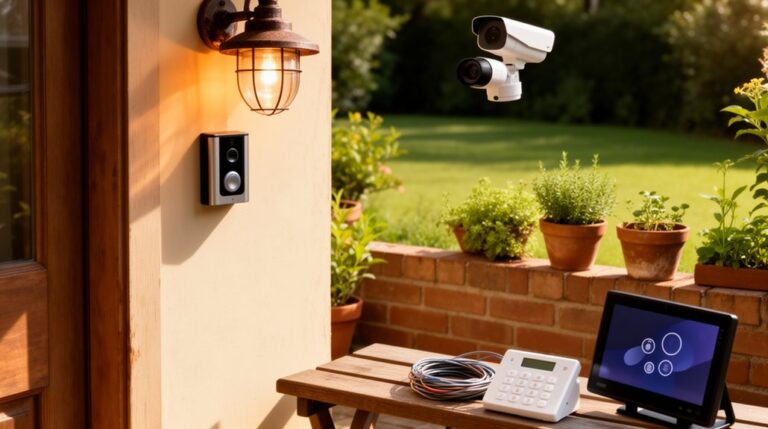

Smart sensors boost your home security by offering proactive protection, precise detection, and seamless integration. Choose a mix of door/window contacts, motion detectors, and tamper-resistant mounts, then connect them to a central hub for unified control and faster, corroborated alerts with cameras and sirens. Regular calibration, testing, and firmware updates cut false alarms and keep readings trustworthy. Prioritize encryption, energy efficiency, and clear automation rules with manual overrides. If you want deeper guidance, you’ll find practical setup and growth tips ahead.
Key Takeaways
- Calibrate and test smart sensors regularly to improve accuracy, reduce false alarms, and verify proper placement.
- Place sensors at entry points and high-traffic areas; pair contact, motion, glass-break, and tamper sensors for layered protection.
- Integrate sensors with a central hub, cameras, sirens, and automation to corroborate alerts and streamline responses.
- Use real-time alerts, encrypted data, and clear response playbooks to detect intrusions quickly and securely.
- Maintain network security, perform firmware updates, and document maintenance to support scalable, reliable security growth.
Why Smart Sensors Make Your Home Safer and Simpler
Smart sensors simplify security by acting before problems arise. When you deploy them, you gain proactive protection rather than reactive alerts. You’ll notice fewer false alarms because accurate sensing reduces noise and focuses on genuine threats. Smart sensor calibration ensures each device matches your home’s dynamics, from door movement to ambient conditions, so responses stay precise over time. With reliable readings, your system can trigger timely locks, lights, or notifications, guiding you to quick, decisive actions. Sensor durability matters too; rugged components resist wear, temperature swings, and tampering, keeping performance steady in daily life. You’ll enjoy seamless monitoring that’s easy to trust, reducing manual checks and giving you consistent peace of mind. In short, smarter sensing simplifies safety with dependable, proactive protection.
Choose the Right Sensor Mix for Doors and Windows
Think about placing sensors where doors and windows are most likely to be forced or overlooked, balancing coverage with practicality. For doors, pair contact sensors with tamper-resistant mounting and consider a motion detector nearby for layered alerts; for windows, use a mix of contact sensors and glass-break sensors where appropriate. Start with a core set and expand based on entry points, reliability, and your home’s routine.
Sensor Placement Best Practices
Choosing the right mix of sensors for doors and windows is essential to reliable coverage without clutter. Start with a core set: contact sensors on primary entry doors, and door/window sensors on secondary points with higher traffic or easier access for burglars. Place motion detectors to cover hallways or rooms with valuable assets, but avoid zones with pets or constant traffic. Position sensors at standard frame heights, aligning magnetic components precisely to prevent false alarms. Use floor or sill mounts for low-lying doors where gaps exist. Regularly test placement after layout changes, and recalibrate as needed. Remember sensor calibration and sensor durability matter: calibrate after wiring, temperature shifts, or after maintenance, and choose durable enclosures for damp or dusty spaces. Optimize placement to balance coverage and reliability.
Door and Window Sensor Types
When selecting door and window sensors, start with the basics: choose contact sensors for most entry points and consider glass-break or vibration sensors for high-risk windows. You’ll want a balanced mix that covers all access points without overcomplicating your setup. For doors, pair robust contact sensors with door alarms that alert you to forced openings. For large or multi-pane windows, add glass-break sensors to detect shattered glass, and consider vibration sensors for areas prone to tampering. Confirm sensor calibration is completed after installation to avoid false alerts and maintain reliable monitoring. Data encryption should be enabled on all wireless devices to protect signals in transit. Regularly test each sensor and update firmware to preserve security integrity.
Motion Detection: How It Works and What It Can Sense
Motion detection relies on sensor mechanisms like infrared, microwave, and video analytics to spot motion and changes in your space. It can sense intruders, moving pets, and environmental shifts such as heat, body heat, and shadows, depending on the technology you choose. Understanding these capabilities helps you pick sensors that balance reliability, false positives, and coverage for your home.
Sensor Mechanisms
What exactly do motion sensors “see” and how do they translate movement into alerts? You’ll learn how sensor mechanisms detect changes and convert them into actionable signals for your security system. The core idea is simple: sensors monitor ambient conditions and trigger alerts when anomalies occur, without drowning you in noise.
- Passive infrared detects body heat contrasts across a scene.
- Microwave and dual-tech combine motion with heat for reliability.
- Ultrasonic sense distance changes, spotting subtle shifts.
- Photoelectric and lens-based arrays identify intrusions in specific zones.
In practice, pick placements that balance Garden lighting benefits and Indoor climate awareness, avoiding clutter and false positives. You’ll fine-tune sensitivity, define zones, and ensure fast, accurate alerts that stay aligned with your home’s daily rhythms.
Detection Capabilities
Detection capabilities hinge on how motion sensors translate movement into alerts: they sense changes in the environment and compare them to baseline conditions, triggering notifications only when anomalies exceed set thresholds. You’ll spot motion via infrared, microwave, or optical sensing, each with distinct strengths for different spaces. Sensor calibration is essential: you adjust sensitivity so minor disturbances don’t cause false alerts, while real intrusions are reliably detected. Environmental adaptation matters too—shadows, pets, and airflow can mimic motion, so set zones and response rules accordingly. Real-time processing filters noise, timestamps events, and prioritizes critical alerts. Integration with cameras, sirens, or smart hubs enables corroboration before you respond. Regularly test and recalibrate to maintain accuracy, ensure coverage, and reduce nuisance alerts while preserving security.
Glass-Break and Vibration Sensors for Quiet Break-Ins
Glass-break and vibration sensors quietly detect tampering by sensing shattered glass or wall surface disturbances, letting your security system respond before a break-in completes.
- You install glass sensors on windows to catch shatter events instantly.
- Vibration sensors monitor walls and frames for unusual impacts or cutting attempts.
- Both types trigger rapid alerts, reducing window-of-entry and false alarms with calibrated sensitivity.
- Combine them with your existing sensors to create layered coverage that’s hard to bypass.
These sensors give you proactive defense, not just reaction. You’ll get timely notifications, automatic siren activation, and faster response by authorities. Glass sensors catch the break, while vibration sensors pick up subtle tampering. Together, they strengthen your frontline security without heavy system changes.
Integrating Sensors With a Central Hub or App
A central hub or app ties all your sensors into one reliable control point, so you get unified alerts and easy status checks. With seamless hub integration, you’ll manage devices and automations from a single interface on your phone or tablet. This setup boosts responsiveness and keeps your security system simple and scalable.
Central Hub Integration
Central hub integration ties your sensors into a single, responsive system you can manage from one app. You’ll optimize how devices work together, with a clear overview of status, alerts, and routines. To guarantee reliability, you’ll consider sensor calibration and how environmental factors impact readings.
- Link devices into one dashboard so you spot issues instantly.
- Use automated rules to trigger notifications and actions across sensors.
- Schedule calibration reminders to keep accuracy high.
- Monitor environmental factors that could skew data and adjust thresholds accordingly.
Mobile App Control
Mobile App Control lets you manage all sensors from a single hub or app, so you can monitor status, receive alerts, and adjust settings on the fly. You’ll pair devices once, then rely on the app to centralize notifications, logs, and diagnostics. Guarantee stable connectivity to prevent missed alerts, and use push notifications for immediate responses. The app typically supports sensor calibration steps, allowing you to verify sensitivity, responsiveness, and placement without swapping hardware. Regularly review battery life and firmware updates from the central hub, which improves reliability and reduces false alarms. Keep the user manual handy for troubleshooting and setup nuances, and document changes in a quick reference. Centralized control minimizes complexity while maximizing security, so you stay informed and proactive.
Automation Rules That Actually Reduce Risk
Automation rules that actually reduce risk start with clear triggers and reliable responses. You set precise conditions, then depend on consistent actions that minimize gaps in protection. Keep rules simple, test them regularly, and update them after changes to devices or routines. Use automation to cover gaps you’d otherwise overlook, not to add complexity. Here’s a practical approach:
- Define triggers that reflect real risk, not incidental activity.
- Pair each trigger with a verified, automated response and a fallback manual override.
- Calibrate sensors periodically to maintain accuracy—sensor calibration matters for trust in automation.
- Encrypt data at rest and in transit to protect rules and logs—data encryption keeps your configuration safer.
Real-Time Alerts and Remote Monitoring

Real-time alerts and remote monitoring keep you ahead of threats by delivering timely, actionable information exactly when you need it. When a sensor detects motion, door opening, or an environmental change, you get instant push notifications or emails, so you can assess the situation without delays. Remote monitoring lets you view live feeds and event history from any device, guaranteeing continuous oversight even when you’re away. Confidence comes from reliable data: verify sensor calibration is performed regularly so alerts reflect reality, not noise. Data encryption protects your information in transit and at rest, preventing interception or tampering. Pair alerts with clear response playbooks, so you act swiftly and correctly, minimizing false alarms and optimizing protective coverage.
Battery Life, Power Needs, and Reliability
Battery life and power needs are critical to reliability, so plan around them from the start. You’ll maximize uptime by selecting devices with efficient radios, low-power modes, and clear battery indicators. Focus on practical calibration and optimization steps that keep sensors accurate without draining energy.
- Assess sensor calibration needs and run routines only when necessary to avoid needless wakeups.
- Enable power optimization settings, such as adaptive sampling, duty cycling, and event-driven reporting.
- Use high-quality batteries or power packs with clear replacement schedules and user-friendly indicators.
- Monitor overall system load and trim nonessential functions to preserve critical operation during outages.
Privacy and Data Security for Sensor Networks
Protecting privacy and securing data in sensor networks isn’t optional—it’s foundational. You’re responsible for controlling what your devices collect, how it travels, and who can read it. Start with strong baseline practices: segment networks so a breach in one device doesn’t reach others, and enable least-privilege access for anyone who interacts with the system. Use robust Data encryption for all transmissions and at-rest data to deter eavesdropping or tampering. Regularly review permissions and update firmware to close vulnerabilities. Sensor calibration should be performed with trusted references to prevent spoofing or misreporting data. Maintain clear logs, monitor for anomalies, and retire deprecated components promptly. Practicing disciplined configuration reduces exposure while keeping your home security both effective and private.
Troubleshooting Sensor Interoperability
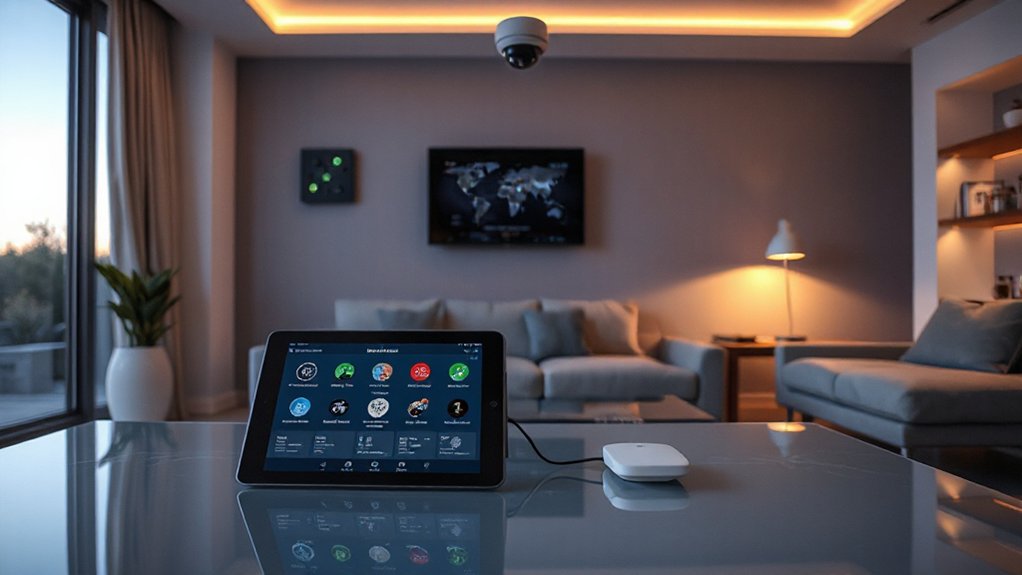
To keep your smart security setup reliable after tackling privacy and data security, you must address sensor interoperability head-on. When devices don’t talk smoothly, you lose timely alerts and confidence. Focus on practical fixes that restore harmony across brands and protocols.
1) Check sensor calibration to ensure readings align with reality, adjusting sensitivity as needed.
2) Eliminate Environmental interference by relocating devices away from heat sources, magnets, or metal surfaces that skew data.
3) Reconcile communication standards (Zigbee, Z-Wave, Wi‑Fi) with a compatible hub or bridge to prevent islands of data.
4) Run a coordinated test each week, validating triggers across doors, motion, and cameras for consistent, reliable alerts.
Scaling Your System as Your Home Grows
As your home grows, scale your smart security system by planning for capacity, coverage, and future compatibility from the start. You’ll future-proof by selecting modular sensors and scalable hubs that handle added devices without bottlenecks. Map coverage zones, prioritizing doors, windows, and high-traffic areas, then design a phased rollout that aligns with upgrades in lighting and power infrastructure. Choose wireless options with robust roaming and a clear mesh topology to maintain reliability as you expand. Emphasize Sensor durability across climates and mounting conditions, ensuring coatings, seals, and tamper resistance meet evolving needs. Build in Environmental adaptation, selecting sensors that tolerate temperature swings, dust, and vibration. Document wiring standards, firmware update paths, and compatibility checks to avoid rework. Regular reviews keep growth predictable and secure.
Cost Considerations: Upfront and Ongoing Value
Cost considerations matter from day one, not just when a system is full. You’ll weigh upfront costs against ongoing expenses and the value they deliver over time. Prioritize calibration needs and training requirements to avoid surprises after installation. With smart sensors, initial setup isn’t the end; it’s the foundation for long-term reliability and performance.
1) Upfront costs: equipment, installation, and any necessary hubs or gateways.
2) Ongoing costs: subscription plans, updates, and service intervals.
3) Sensor calibration: guarantee accuracy to prevent false alarms and wasted responses.
4) User training: learn workflows, maintenance, and when to intervene or escalate.
A practical approach aligns budget with throughput, minimizes downtime, and preserves security value.
Best Practices for Testing and Firmware Updates
Regular testing and timely firmware updates keep your smart sensors reliable and secure, so schedule routine checks and push updates promptly to minimize gaps in coverage. When testing, verify core functions like motion detection, door/window status, and alert paths end-to-end. Document results and note any anomalies, then re-test after fixes. Implement a predictable update cadence—automatic for critical patches, manual for optional features—and avoid gaps between releases. Prioritize sensor calibration during maintenance windows, ensuring readings reflect real conditions without drift. Consider environmental adaptation: relocate or reconfigure sensors if placement causes false alarms or blind spots. Maintain a rollback plan in case an update introduces issues. Use validated backup data and verify integration with the hub or security app after each firmware change.
Frequently Asked Questions
How Do Sensors Handle Pets Without False Alarms?
Pet detection prevents false alarms by using weight, span, and zone logic, plus adaptive sensitivity. You’ll benefit from PET-friendly settings, activity windows, and pet-specific alerts, ensuring reliable coverage while reducing false alarm prevention and maintaining security.
Can Sensors Operate During Power Outages Reliably?
During outages, sensors run on battery backup, and you’ll still get alerts if properly configured. You’ll reduce false alarms with regular sensor calibration and test routines, ensuring reliable operation despite power loss.
What Level of Encryption Protects Sensor Data?
Data encryption standards vary; you should expect AES-128 or higher for sensor data in transit and at rest. It protects privacy, but you must enable device-level encryption, firmware updates, and secure key management for true Sensor privacy.
Do Sensors Require a Monthly Subscription for Basics?
No, you don’t need a monthly subscription for basics. About 70% of breaches involve unmonitored devices, so guarantee sensor compatibility and follow installation tips carefully to maintain coverage without ongoing costs.
How Often Should Firmware Be Updated for Safety?
Firmware updates should occur promptly whenever released to maintain safety. You should install them as soon as possible, ensuring you apply security protocols and verify compatibility. Regular checks, at least quarterly, help prevent vulnerabilities and maintain peak performance.
Conclusion
Smart sensors don’t just deter intruders—they simplify everyday living, too. By choosing the right mix, you’ll cover doors, windows, and motion with seamless alerts and centralized control. Stay on top of compatibility, updates, and routine testing so your system stays reliable. As the adage goes, “measure twice, cut once”—test often, and you’ll avoid costly gaps. With careful setup, your home stays safer and smarter, now and as you grow.
About the Author