
Setting up automatic lighting to look like you’re home starts with a UK‑compatible, mains‑powered setup. Choose a reliable smart lighting system with hubs, scenes, tunable white, and color, wired to standard UK mains. Map a believable routine with wake, work, and unwind times, using time triggers and geofencing. Sync indoor and outdoor lights to sunrise/sunset, and add motion sensing and vacation modes to mimic presence without obvious switches. Regular tests and security checks will keep it seamless; more tips await.
Key Takeaways
- Use timers, scenes, and geofencing to simulate natural occupancy and routine return times.
- Map daily activities (wake, work, meals, unwind) to realistic lighting progressions and transitions.
- Synchronize interior and exterior lighting with sunrise/sunset plus motion-triggered zones to avoid obvious patterns.
- Ensure reliable control with a single compatible hub, compatible bulbs, and proper wiring for safety.
- Regularly test, adjust, and document changes to maintain believable, energy-efficient lighting behavior.
Start With a Quick Why: How Automatic Lighting Boosts Security and Saves Energy

Automatic lighting schedules deter intruders by creating the impression of occupancy, while also trimming energy waste when you’re away or asleep. You’ll boost security by simulating routine activity: set lights to turn on during typical return times and off when you’d normally retire. In practice, align automation with your daily pattern, so gaps don’t reveal absence. Choose a suitable color temperature to match room function; cooler tones for kitchens and home offices convey alertness, warmer tones for living areas feel natural when you’re home. Fixture placement matters, too: position lights to cover entryways, hallways, and external approaches without creating glare. Combine timers with sensible scene settings to avoid obvious switches. This approach gives you consistent reassurance while minimising unnecessary energy use.
Choose a Smart Lighting Setup That Fits Your Home
Choosing a smart lighting setup starts with understanding your home’s mains compatibility and the types of smart lights you’ll use. Consider how each option integrates with existing wiring, what schedules and automations you’ll need, and how well they synchronize with your preferred hubs or assistants. Aim for a cohesive system that supports reliable schedules, easy future upgrades, and straightforward control across rooms.
Smart Lighting Types
When selecting a smart lighting setup, start by evaluating your home’s needs, daily routines, and existing fixtures to determine which system will integrate smoothly and deliver reliable automation. You’ll want a clear hierarchy of control: scene-based bulbs, tunable white, and colour options where appropriate, without overcomplicating the layout. Opt for bulbs with good compatibility across brands to maximise future-proofing. Consider fixtures that support dimming, swappable fittings, and recessed fittings for a neat aesthetic. For most homes, a centralized hub paired with voice control offers predictable reliability and responsive schedules. Prioritise energy efficiency and low standby consumption, then guarantee your choices support coherent lighting design across rooms. Remember: balance functionality with aesthetic appeal, avoiding excess variants that complicate maintenance.
Compatibility With Home Mains
Your smart lighting should align with your home’s mains wiring and electrical standards to prevent compatibility issues later. In the UK, choose a setup that matches your ring main capacity and fuse box ratings, avoiding overloads on older circuits. Assess whether you need 230V mains devices or low-voltage components with appropriate transformers, and guarantee certified installation practices. Opt for a single standard across rooms to simplify safety checks, and verify load ratings on dimmers and smart switches to prevent nuisance tripping. Consider retrofitting with mains-powered fixtures where possible for reliability, while acknowledging any constraints from older plasterwork or chrome-back boxes. Prioritise Energy conservation and aesthetic enhancement, selecting devices that deliver stable performance without compromising electrical compliance or your consumer rights.
Schedule And Automation Features
Schedule and automation features should be chosen with your home’s routines in mind, guaranteeing the system supports reliable timers, scenes, and geofencing without overcomplicating installs. You’ll want a hub that centralises control, with sensible automation triggers linked to doors, occupancy, and sunset times. Prioritise routines that mirror daily patterns—workdays, weekends, and holidays—so lighting feels natural rather than scripted. Look for native firmware updates and local control options to minimise cloud dependency. Lighting aesthetics matter: confirm the platform supports smooth transitions, dimming granularity, and ambient modes that suit different rooms. Color customization should be straightforward, enabling consistent white tuning and accent hues. Confirm compatibility with common UK smart plugs and light fittings, plus easy scene sharing for households with multiple users.
Create a Believable Daily Schedule Aligned to Your Routine
Start by mapping your typical day to spot when you need light most—this is your routine map. Align your schedules with key activities (wake, arrival, dinner, bedtime) to create predictable, calm lighting scenes. Use simple, repeatable rules to keep the system reliable and easy to tweak as your routine shifts.
Build Your Routine Map
To build a believable daily routine, map out activities around when you actually wake, work, and unwind, then fill in gaps with consistent blocks. You’ll craft a routine map that anchors lighting progressions to real-life moments, not arbitrary times. Start with wake-up highlights, then plan work periods, meals, and quiet wind-downs. Use concise blocks that reflect typical UK days: commuting, desk tasks, kitchen moments, and late-evening relaxation. Tie lighting changes to these blocks, specifying color temperature shifts and bulb brightness levels that match activity. For example, warmer temps and lower brightness during winding-down periods, cooler temps with brighter output for focused work. Keep changes predictable to avoid suspicion. Validate your map by testing a few days, adjusting minor fill-ins until progressions feel natural.
Schedule Alignment Tips
Linking lighting changes to your actual day boosts believability, so align your schedules with real wake, work, and unwind moments. To start, map key timestamps—rise, commute, meals, and bedtime—and mirror them across rooms. Use short, consistent progressions; abrupt shifts reduce realism. Choose color temperature to reflect activity: cooler presets for work, warmer hues for relaxation, and subtle mid tones for intermediate phases. Enable voice control for quick adjustments during routine changes, so you don’t rely on app taps. Maintain gradual ramping, not instant flips, to simulate natural occupancy. Schedule overlaps between rooms to mimic movement: hallway lights on earlier, kitchen and living areas responding to activity. Review seasonality and daylight shifts, updating presets quarterly to preserve plausibility and energy efficiency.
Set Reliable Time Triggers and Practical Lighting Scenes
Are you unsure how your lights should behave on a schedule? You’ll set reliable time triggers first, then pair them with practical scenes that feel natural. Use a firmware clock that respects British time changes and keep triggers simple: on, off, and a small set of predefined scenes. This guarantees predictable behavior without confusion when you return home.
- Map triggers to your daily routine to avoid overlap and ghosting.
- Create distinct scenes for morning, day, evening, and night, aligning with activity patterns.
- Include lighting aesthetics and color customization that compliment room purpose while staying intuitive for guests.
Trust consistency over complexity; clear naming and testing cycles prevent misfires and keep your home convincingly lived-in.
Sync Indoor and Outdoor Lighting for a Cohesive Look

Synchronising indoor and outdoor lighting creates a seamless, believable home at any hour, so start by matching the indoor color temperature and brightness to the exterior scenes you want to highlight. You’ll align living room, kitchen, and hallway tones with the outdoor ambience so textures read consistently from curb appeal to entrance. Use neutral white or warm hues that mirror porch lamps and garden features, avoiding stark contrasts that jar perception. Prioritise a coherent lighting plan across zones, ensuring fixtures with complementary styles—classic lanterns beside modern downlights—enhance Landscaping aesthetics rather than clash with it. Consider outdoor fixture styles that echo interior fixtures for continuity. Calibrate brightness to avoid glare on windows while preserving security and depth, then review seasonal changes to maintain cohesion throughout the year.
Add Smart Tweaks: Motion, Sunrise/Sunset, and Vacation Modes
With the groundwork on consistent indoor and outdoor lighting in mind, you can start adding smart tweaks that adapt to daily life. Motion sensors, sunrise/sunset routines, and vacation modes sharpen control, reduce waste, and reinforce lighting aesthetics while boosting energy conservation. Implement them thoughtfully, not aggressively, to preserve ambience and convenience.
- Motion-triggered scenes: activate zones only when movement occurs, dim to comfortable levels, and return to baseline after inactivity.
- Sunrise/sunset syncing: align exterior and entrance lighting with natural light cycles to minimize glare and waste.
- Vacation modes: simulate presence with staggered schedules and randomised timing across rooms.
These tweaks deliver subtle, reliable changes to daily patterns, enhancing realism and efficiency.
Test, Refine, and Troubleshoot Common Scheduling Issues
Testing and refining your schedules is essential to guarantee reliable performance and consistent ambience. You’ll methodically validate each rule against actual dusk and dawn timings, noting any drift and adjusting trigger times to preserve natural lighting cues. Check for overlapping events that cause unexpected flicker or short outages, and simplify complex sequences to improve reliability. Monitor color temperature transitions to ensure they remain smooth and not jarring at room entrances; if bulbs vary, set a single preferred kelvin for consistent mood. Watch power consumption during peak hours and adjust intensity or duty cycles to maintain efficiency without compromising effect. Document changes, test across devices, and re‑test after firmware updates to confirm sustained accuracy.
Safety, Privacy, and Maintenance Tips for Long-Term Use
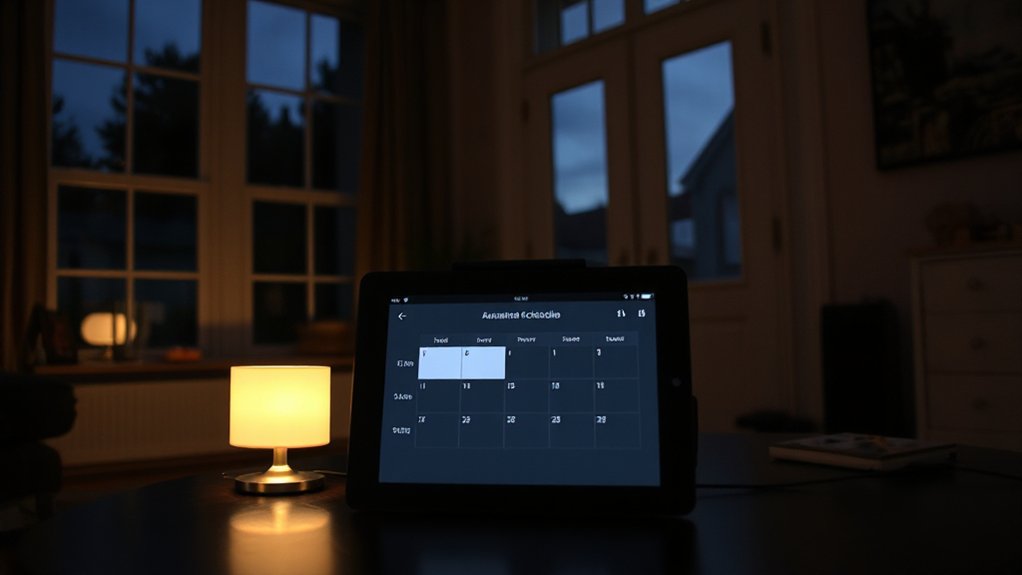
To keep long-term lighting schedules safe, private, and reliable, you should implement robust maintenance routines, guard your data, and follow best-practice safety measures from the outset. Regularly inspect hardware, update firmware, and test backups to reduce outage risk. Schedule periodic reviews of access logs and device permissions to protect garden security, while ensuring outdoor aesthetics remain intact with consistent lighting quality. Use surge protection and weather-rated gear to withstand UK conditions, and document changes for accountability.
- Maintain firmware, test backups, and review permissions quarterly.
- Enable strong authentication, encrypt data where possible, and monitor access logs.
- Use weatherproof fittings, proper cabling, and compliant power planning to preserve garden security and outdoor aesthetics.
Frequently Asked Questions
How Secure Are My Lighting Schedules From Hacking?
Security is variable, but robust encryption protocols reduce risk; you’ll often be safer with vendor updates and network segmentation. Watch for hacking vulnerabilities in older hubs, enable two-factor authentication, and keep firmware current to minimize exposure.
Do Smart Bulbs Consume More Energy Than Old Ones?
Smart bulbs typically use less energy per unit than traditional incandescent bulbs, though their standby draw and firmware activity add tiny amounts. Overall, energy consumption remains lower when you use efficient schedules and modern smart bulb technology.
Can I Schedule Lights for Irregular Work Shifts?
Bite-sized stat: 30% energy drop when you automate lighting irregular shifts. You can schedule lights for irregular shifts, boosting vacation security with lighting automation. You’ll set flexible time windows, guarantee consistent occupancy, and avoid empty-room patterns.
Will Power Outages Reset My Routines Automatically?
Power outages can reset routines unless you have backup power; keep timers on reserve and reconnect after restoration. For emergency preparedness, consider smart hubs with battery backups to maintain consistent schedules during outages.
How Hard Is It to Expand to Outdoor Lights?
Expanding to outdoor lights is straightforward if you plan: run outdoor wiring securely, use weatherproof fixtures, and choose weather sealed connectors. You’ll connect zones safely, respect UK regulations, and test circuits with a residual current device for protection.
Conclusion
You’ve learned how to stage your home with smart lighting that’s both convincing and efficient. By syncing indoor and outdoor scenes, and weaving in motion, sunrise/sunset, and vacation tweaks, your absence won’t scream “empty house.” Practise with reliable schedules, test regularly, and trim any quirks. Think of the lighting as a quiet orchestra, each cue a careful beat. With steady maintenance and clear privacy settings, you’ll protect your home and your energy bills, month after month.
About the Author