
Set up smart routines that automate daily tasks, boost security, and trim energy use. Start with a solid morning flow: wake you, adjust climate, start coffee, and open blinds within minutes. Personalize lighting for focus and winding down. Automate daily security checks and door locks, plus a robust away/home mode. Choose a scalable platform with strong updates and privacy controls. Measure results, tweak for comfort and efficiency, and you’ll gain access to lasting benefits as you expand—more to optimize as you grow.
Key Takeaways
- Establish a Morning Routine that automates lighting, climate, and coffee to reduce friction and boost alertness on wake-up.
- Implement a Security and Away Mode routine with door locks, sensors, and geofencing to ensure safety when you’re out.
- Create Energy-Efficient Schedules for HVAC, water heating, and appliances to lower bills and conserve resources.
- Set Lighting Personalization scenes for focus, relaxation, and safety with color temperature and brightness controls.
- Configure Daily Maintenance checks for device health, privacy, and network safety to keep systems reliable and secure.
What Smart Home Routines Do for Everyday Life
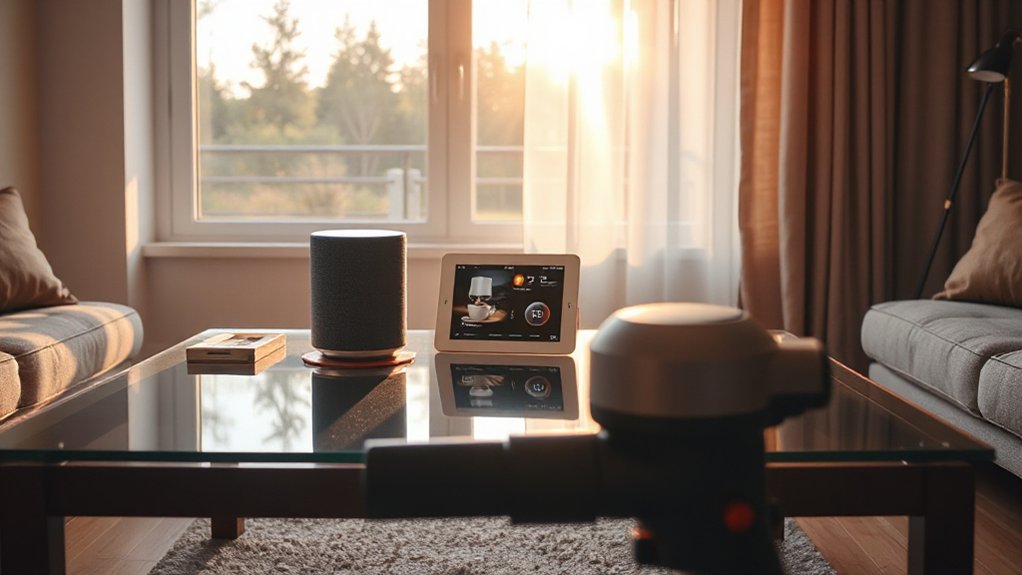
Smart home routines automate daily tasks, freeing you from repetitive chores and reducing the chance of human error. You set triggers, schedules, and responses that align with your real life, so ordinary moments run smoothly. With Smart routines, you wake to lighting that matches sunrise, coffee brewing on schedule, and thermostat adjustments that reflect your morning routine. Throughout the day, reminders, door locks, and media playback coordinate without you micromanaging. This streamlined control cuts decision fatigue, supporting steady performance in daily tasks. You’ll notice faster task completion, fewer forgetful moments, and consistent outcomes. The result is increased daily efficiency, predictable environments, and reliable hands-free operation you can trust. Your home works with you, not against you.
Start Here: Define Your Baseline Morning Routine
To start building an effective baseline, map out your typical morning from wake-up to start-of-work. Identify each step you perform, the order you do them, and how long they take. Note fixed anchors (alarm, commute start) and variable elements (coffee, shower, news). Translate this into a simple sequence you can repeat daily, then measure friction points: delays, forgotten items, or interruptions. Define expected outcomes for each phase—energized wakefulness, focused preparation, and timely departure. Capture current home habits and how they influence flow, such as lighting, climate, and appliance usage. Use this baseline to guide your smart adjustments later, prioritizing reliability and minimal disruption. Your baseline should be concise, testable, and aligned with the routines you want to sustain every weekday.
Automate Wake-Up and Climate in One Flow
By integrating wake-up automation with climate control, you create a seamless start that reduces friction and preserves focus.
1) Align bed-time and wake-up triggers with your thermostat schedules to guarantee a gradual temperature shift that supports morning rituals and sleep optimization.
2) Set a single scene that raises the thermostat, starts the coffee, and opens blinds (if available) within a 5–10 minute window for consistent onset.
3) Use intelligent routines that adjust humidity and air quality, supporting alertness without causing discomfort or dry morning breath.
4) Validate outcomes with logs: note wake time, temperature, and perceived energy, then refine thresholds weekly for maximal efficiency.
Personalize Lighting for Mood and Focus

Tailor your lighting to support focus or set a mood by selecting brightness and color temperatures that align with the task at hand. For focus, choose cooler, brighter tones and steady, uniform illumination; for mood, switch to warmer hues and layered lighting to create ambiance. Start with a simple scene: one main light for clarity and a secondary light for depth, adjusting per activity as needed.
Lighting for Focus
Wondering how to sharpen focus with smart lighting? You can optimize tasks by aligning lighting with work stages. Focus illumination should be bright enough for reading detail, yet not harsh on eyes. Use cool to neutral temps for concentration and switch to warmer tones when winding down. Control brightness to reduce glare on screens and adjust progressively as you approach deadlines. Schedule routines that boost productivity during peak hours, and dim lights for breaks to avoid burnout.
- Set cool, bright levels for deep work
- Create an auto-scene for meetings and emails
- Add gradual dimming to signal changes
- Integrate smart switches with your calendar or task app
Mood-Based Illumination
Mood-Based Illumination uses lighting to reflect and influence your emotional state while preserving focus. You’ll tailor scenes to tasks and times, not whimsy. Set color temperature to align with your goals: cooler temps (about 4000–5200K) sharpen concentration during work, warmer temps (around 2700–3200K) ease shifts and reduce stress evenings. Use ambient brightness to match activity; dimmer scenes promote calm, brighter settings support quick, decisive actions. Create mood presets: Morning energize, Afternoon focus, Evening unwind, Night relax. Enable gradual changes to prevent jarring alterations, and guarantee shifts align with your routine. Test lighting responses with simple tasks, noting how each configuration affects performance and mood. Document preferences in your app, so every room adapts automatically to your day.
Daily Security Checks You Can Automate

Set up auto door status checks so you’re alerted if a door isn’t closed or locked, and confirm the status across rooms with a quick, centralized view. Pair this with a nightly alarm check that verifies all sensors are armed and your system is in away mode before you go to bed. This creates a reliable baseline for daily security with minimal manual effort.
Auto Door Status
Auto doors should be monitored daily to guarantee no gaps in security. You’ll verify auto door status across entry points, ensuring doors seal properly when closed and re-lock after any passage. Rely on smart lock integration to confirm lock state is consistent with the door position, and alert you instantly to mismatches. Implement automated checks that run on a schedule and report any deviation for quick remediation.
- Confirm door status matches lock state each cycle
- Verify automatic relock after passage and no partial openings
- Cross-check sensor health and battery levels
- Review integration alerts and response workflows promptly
Nightly Alarm Check
Nightly Alarm Check should run automatically each night to verify that the security system is armed, sensors are reporting correctly, and alarms will trigger as expected. You’ll confirm door, window, motion, and glass-break inputs are fault-free, and that tamper indicators aren’t active. The process should also verify battery levels and panel health, ensuring the Smart alarm remains fully functional without manual intervention. Schedule checks after you’ve armed at a comfortable hour, so you’re aware of any drift in readings before you sleep. If a sensor reports an anomaly, you’ll receive a concise alert and recommended actions. Maintain a nightly security cadence, review summaries, and adjust thresholds if you notice false positives. This routine strengthens overall protection with minimal effort.
Hands-Free Safeguards: What to Automate for Peace of Mind
Hands-free safeguards give you peace of mind by automating essential checks and protections without your hands on the controls. You’ll rely on proactive monitoring that acts instantly when risk signals appear, ensuring safer routines and lower attention fatigue. This approach prioritizes stability, reliability, and predictable responses, so your home behaves consistently under varying conditions. Implement targeted automations that deter hazards, verify critical states, and respond without delay.
- Intrusion and door/window sensors auto-lock if an entry is left ajar.
- Smoke/CO detectors trigger alarms and notify you remotely with test confirmations.
- Water leak sensors alert and shut off valves when needed.
- Motion-activated lighting reinforces visibility and deters intruders, reinforcing peaceful automation.
Energy-Centric Automations That Slash Bills
Smart energy automations focus on trimming bills without sacrificing comfort. You’ll program devices to operate only when needed, prioritizing efficiency without compromising routines. Start with adaptive lighting that dims automatically after sunset and turns off when rooms are unoccupied, reducing phantom usage. Tie smart plugs to high-demand gear—like entertainment centers and charging stations—so idle power draws disappear. For Smart gardening, schedule irrigation during cool periods and at low-flow times, cutting outdoor water waste while keeping landscapes thriving. In Home entertainment, enable power-saving modes and automate standby reductions on TVs and consoles after use. Use occupancy sensors to consolidate device activity, and centralize controls so you can audit energy patterns quickly. These precise automations lower bills while preserving comfort and convenience.
Smart Scheduling for HVAC and Water Use
How can you maximize comfort while minimizing waste with precise timing? With smart scheduling, you control HVAC and water use around your real-life patterns, not guesswork. Program demand-based cooling, preheating, and setback periods to match occupancy and outdoor conditions, reducing energy spikes. For water, stagger irrigation and optimize hot-water delivery to cut standby loss and waste. Stay precise: align schedules with utility rates, weather, and routines, then adjust monthly after reviewing usage data.
- Set HVAC setbacks for sleeping and absences, then restore before wake-up
- Schedule water heating to off-peak hours and use low-flow presets
- Tie irrigation to forecasted rainfall and soil moisture
- Review analytics weekly to refine targets and conserve
Smart scheduling reduces waste while sustaining comfort and water conservation.
Making Appliances Sing: Quiet, Efficient Habits
Appliances run quietly when you design routines around efficiency, not idle hope. You optimize loads by grouping tasks, staggering startup times, and using smart plugs to prevent phantom power drain. Set schedules that align with real usage patterns: run dishwashers and laundry late in low-demand windows, and preheat or pre-cool only when electricity is cheapest. Use energy modes and sensor-triggered cycles that adapt to load size. Maintain equal runtime and cycle selection to avoid cycling waste. Implement silent chores by automating mundane tasks during off-peak hours, and monitor consumption to identify leaks and parasitic draws. This is energy hacking: you treat every device as a system, not a standalone unit. With disciplined routines, you preserve comfort while trimming bills.
Bedtime Wind-Down: A Simple Ritual for Restful Sleep
Set the bedtime ritual in motion by dimming lights and locking doors to signaling wind-down. Pair gentle sounds with targeted temperature adjustments to calm your body and prepare your sleep cycle. This simple sequence, focused on those four actions, creates a reliable cue to slow down and rest.
Dim Lights, Lock Doors
As night approaches, dim the lights to a warm, comfortable level and confirm all doors are locked before you wind down. You’ll create an immediate signal that signals rest. Use a simple routine that reinforces Lighting ambiance and door security, so you finish the day with confidence.
- Set exterior and entry lights to low, warm tones to reduce glare yet preserve visibility.
- Schedule interior lights to gradually dim within the last 15 minutes, avoiding abrupt changes.
- Verify all doors—front, back, garage—are secured and locked, including deadbolts.
- Pause for a quick three-second check of motion sensors and alarms to ensure system readiness.
This routine minimizes daytime distractions and supports a calm transition to sleep.
Gentle Sounds Setup
Gentle sounds can cue your brain for winding down, so set up a simple audio ritual that signals bedtime. You’ll implement a consistent, low-volume audio cue 30 minutes before sleep, using calming melodies and minimal interruptions. Choose a single source—a dedicated speaker or app—and pre-load a 20–30 minute playlist labeled “Bedtime.” Maintain a fixed schedule, so the routine becomes predictable. Set the volume to a steady, unobtrusive level that doesn’t compete with room noise or your breathing. Opt for instrumental tracks or soft nature sounds without lyrics to prevent cognitive arousal. Pause or reduce notifications during the window, and test the loop weekly for tonal balance. Document the steps in your routine guide for quick replication by others in your home.
Temperature Wind-Down Adjustments
To wind down temperature effectively at bedtime, adjust your environment to support slower metabolism and deeper rest. You’ll use precise control to reinforce wind down routines and ensure consistent sleep onset. Focus on reliable signals that cue your body toward calm, not disruption.
- Calibrate your thermostat to a 60–67°F (15–19°C) range for optimal core temperature decline.
- Enable gradual temperature fall 60 minutes before sleep, then hold steady.
- Use breathable bedding and layered clothing to maintain comfort without overheating.
- Avoid rapid changes after lights out; keep fan noise minimal and doors closed.
Temperature calibration matters; wind down routines hinge on predictable, gentle transitions.
Lockdown and Away Modes You Can Trust
Smart home lockdown and away modes are designed to keep your property secure and energy-efficient when no one’s home or when you’re sleeping. Set these modes to trigger automatically with geofencing or scheduled times, and verify that door sensors, cameras, and smart locks respond within seconds. Use a single, trusted routine that arms all entry points and pauses nonessential devices to reduce waste and exposure. Remote monitoring lets you confirm status from anywhere, while real-time alerts prompt quick action if a breach or anomaly occurs. Pair with energy analytics to track nightly power use and identify phantom loads. Test monthly, maintain updated firmware, and keep fallback codes for trusted guests. This approach delivers dependable protection without complexity.
Keeping Your Home Network Reliable and Fast
A reliable, fast home network starts with a solid core and clear, repeatable practices. You’ll gain performance by simple, disciplined steps that minimize congestion and maximize bandwidth. Focus on predictable behavior, not luck.
- Assess your Home bandwidth needs and match devices to priorities, ensuring critical work traffic gets priority.
- Schedule firmware updates and reboot routines to keep hardware fresh without surprises.
- Optimize router placement and enable Quality of Service to prioritize video calls and gaming.
- Audit connected devices regularly; remove idle clients and secure guest networks to reduce interference.
Apply these procedures consistently, and your network becomes resilient against slowdowns, buffering, and outages, delivering smoother streaming, faster downloads, and reliable smart-home operation.
Safe Routines for Kids and Pets at Home
How can you keep kids and pets safe while smart devices are humming around them? Establish clear device boundaries and use scene triggers that avoid loud alerts near play areas. Enable child safety features on routers and hubs, restrict voice assistants from sensitive commands, and set up password protections for all routines. Schedule automations to pause power-hungry devices when bedrooms or playrooms are in use, reducing distraction and overheating risk. Implement pet monitoring cameras with privacy zones and real-time alerts, ensuring you can intervene if a device malfunctions or a cord becomes exposed. Maintain physical safeguards: outlet covers, cord organizers, and stable furniture placement. Regularly review logs for unusual activity to uphold child safety and pet monitoring standards. Continuous maintenance reinforces safe, calm smart home routines.
Budget-Smart Customizations: Tailor to What You Can Spend
Budget-smart customizations let you tailor smart-home routines to what you can spend without sacrificing safety or reliability. You’ll optimize value by prioritizing essential automations, selecting budget-friendly devices, and avoiding over-spec’d features that raise cost without proportional benefit.
1) Start with core routines you’ll actually use daily, then expand only if proven cost effective.
2) Choose compatible, affordable hubs and sensors; look for energy-saving modes to maximize return.
3) Leverage multitasking devices (lights, climate, security) to reduce overall hardware needs.
4) Reassess quarterly, swapping underperforming components for budget-friendly upgrades as needed.
Keep Devices in Sync: Cross-Platform Consistency
To keep your smart home in sync, start with cross-platform syncing tips that cover all your devices and ecosystems. Align unified device schedules and guarantee consistent notification settings so actions and alerts feel seamless across platforms. Prioritize clear, practical steps you can take now to maintain consistency and avoid fragmented automations.
Cross-Platform Syncing Tips
Cross-platform syncing is essential for seamless smart-home control, so you should consolidate your routines and device data across apps, hubs, and ecosystems. You’ll guarantee reliable automation, fewer conflicts, and quicker responses, especially when you rely on Voice command and consistent device compatibility across platforms.
- Map your core routines to a single trigger set, then backfill with platform-agnostic commands.
- Use cloud-based hubs or bridges that emphasize interoperability rather than proprietary ecosystems.
- Prefer open standards (Routines, Scenes) and test voice commands on each device you use.
- Regularly audit apps, firmware, and integrations to prevent drift and ensure consistent device compatibility.
Unified Device Schedules
Unified Device Schedules guarantees every device follows the same timing, no matter which app or hub you used to set it up. You’ll align start times, durations, and repetitions across ecosystems, reducing drift and misfires. Prioritize a single, authoritative schedule source—prefer one platform that governs all connected devices to minimize conflicts. Check device compatibility before syncing: identify lag-prone devices, incompatible retries, or limited schedule granularity, and adjust expectations accordingly. Use routine customization to tailor global timings for morning, evening, and standby windows without duplicating efforts. Document preferred time zones, daylight saving rules, and override conditions so substitutions don’t disrupt flow. Regularly test critical routines, especially when adding new devices, to confirm consistent activation and reliable outcomes across platforms.
Consistent Notification Settings
Consistent notification settings guarantee you’re alerted in real-time across every device and app. To keep devices in sync, you must tailor how alerts arrive, where they appear, and how quickly they trigger actions. Focus on practical controls that reduce noise while preserving critical visibility. Implement clear rules for prioritization and consistency across platforms.
- Set a universal alert prioritization scheme so high-importance updates surface first, regardless of device.
- Enable notification customization per app, ensuring critical devices mirror each other’s tones and banners.
- Synchronize quiet hours and do-not-disturb windows to prevent fatigue without missing emergencies.
- Test cross-platform delivery routinely, confirming that a single event generates coherent, timely notifications everywhere.
Quick Fixes for Common Automation Glitches
When glitches strike, start with simple, targeted fixes instead of rebuilding routines from scratch. First, verify hub and app connectivity; a quick reboot often clears stuck commands. Check device status lights, and re-pair any misbehaving module. If automations fire at wrong times, confirm time zones and sunrise/sunset settings aren’t drifting. For delay issues, reduce the number of triggered actions per scene and favor sequential, short delays. Disable conflicting routines promptly, then re-enable one by one to isolate culprits. For energy monitoring and Smart garden controllers, make certain sensors aren’t blocked and firmware is current. Keep automation logs handy to trace anomalies, and document fixes for future reference. With disciplined resets, most glitches resolve without broader reconfigurations.
Picking the Right Platform for Your Home
Choosing a home automation platform requires clarity on your needs and a willingness to align devices, routines, and ecosystems around a single core system. You’ll gain reliability, faster setup, and easier maintenance when you pick thoughtfully. Compare ecosystems by device compatibility, ease of use, and ongoing support, then map how Smart gardening and Home entertainment will function within that framework. Prioritize open standards and scalable options so future additions won’t force a rewrite.
- Assess device compatibility and growth potential
- Prioritize user experience and vendor support
- Validate how smart gardening and home entertainment integrate
- Choose a platform with secure, straightforward updates and robust local control
Privacy and Security Best Practices for Automations
Prioritize data minimization by collecting only what you need, keeping data retention short, and disposing of it securely. Guarantee secure device connectivity with strong encryption, authenticated pairing, and regular firmware updates to close gaps. Implement clear access controls and roles so only the right people and automations can act on your smart home, and review permissions regularly.
Data Minimization Practices
Data minimization means collecting only what you truly need for an automation to function. You’ll limit data flows, reduce exposure, and simplify audits by design. Focus on purpose, not collection breadth, to protect privacy without sacrificing convenience.
- Limit data collection to essential fields only
- Use local processing where possible to keep data on-device
- Purge history regularly and automatically
- Encrypt and anonymize any data that must be stored
Applying these steps supports data privacy and minimal storage. You’ll reinforce security by design, making your routines lean and harder to exploit. Preferences, schedules, and triggers should rely on minimal signals, not detailed personal data. Regularly review permissions and data-sharing settings across devices and services. This disciplined approach keeps your ecosystem responsive while reducing risk of leakage or misuse.
Secure Device Connectivity
How can your automations stay trustworthy without robust connectivity? To secure device connectivity, start with proven network hygiene. Use a dedicated, segmented home network for all IoT devices, keeping them separate from personal computers and financial gear. Enable strong, unique credentials on every device and disable unused services to minimize attack surfaces. Prioritize devices that support regular firmware updates and automatic security patches. Monitor traffic for unusual patterns, and enable encrypted communication with TLS wherever possible. Maintain device encryption where offered, ensuring stored data remains unreadable if a device is compromised. Schedule firmware updates promptly, and verify vendor trust, signatures, and integrity before installation. Document a simple recovery plan for failed updates and keep backups of critical configurations.
Access Control and Roles
Access control and roles are the backbone of secure automations: assign each user and device the minimum permissions needed to perform tasks, and enforce strict separation between admin and routine user capabilities. You implement clear access rules, audit trails, and timely revocation when someone changes roles or leaves the home. This is essential for protecting privacy and maintaining reliable routines, especially when devices share data or trigger actions remotely. Focus on robust user management and precise access permissions to minimize risk.
- Define role boundaries and grant only necessary capabilities.
- Enforce strong authentication and session controls.
- Regularly review permissions and revoke unused access.
- Log activities and monitor for anomalies to detect breaches early.
Scale Up: Routines as Your Home Grows
As your smart home grows, routines must scale with it, not crumble under new devices or more complex tasks. You’ll future-proof by designing modular flows that reuse core actions across rooms and scenarios. Start with a centralized naming and tagging scheme so additions slip into place without rewiring. Prioritize routine scalability by separating triggers, conditions, and actions, then layer automations in a predictable hierarchy with clear ownership. As devices multiply, rely on baseline safety checks, debounce logic, and error handling that alert you without flooding notifications. Document each routine’s intent, inputs, and expected outcomes, enabling quick audits and updates during home expansion. Regularly review energy and privacy impacts, and retire obsolete sequences to maintain lean, reliable automation. This approach keeps routines robust through growth.
Measuring Success: Audit Your Routines and Improve
Regular audits keep your routines reliable and evolving. You’ll measure effectiveness, identify gaps, and tighten gaps with clear metrics. These audits guide improvements in Creative gardening and Artful cooking by aligning tech, timing, and outcomes to real needs.
- Define success metrics for each routine, then track results over a quarter.
- Compare expected vs. actual performance, adjusting triggers and thresholds.
- Gather quick feedback from household members to surface friction points.
- Implement iterative tweaks, retest, and document changes for continuity.
Use simple dashboards, log deviations, and celebrate small wins. Prioritize high-impact adjustments—automation reliability, response times, and energy use. Regular review keeps routines practical, scalable, and resilient as you home evolves.
Frequently Asked Questions
How to Audit Routine Effectiveness Over Time?
You should audit routine effectiveness by tracking metrics weekly, noting automation success rates, response times, and user friction. Use routine customization to adapt tweaks, and effectiveness tracking to compare before/after results, then iterate based on quantified insights.
Can Routines Adapt to Seasonal Schedule Changes?
Yes, routines can adapt to seasonal adjustments by updating triggers, conditions, and schedules. You’ll preserve routine effectiveness through deliberate tweaks, ensuring routine flexibility while maintaining core goals, so your home responds appropriately to changing daylight, temperatures, and occupancy.
What Minimal Tech Setup Covers Most Tasks?
A minimal setup: one hub, a few reliable smart devices, and strong Wi‑Fi. You’ll enjoy seamless Smart device integration while you tailor routines. You customize scenes easily, ensuring dependable automation with practical, precise control and user customization.
How to Recover From a Failed Automation Quickly?
When automation fails, you quickly diagnose with automation troubleshooting steps, then roll back to a stable backup routine. Re-test, document the fix, and adjust Routine customization to prevent recurrence and speed future recoveries.
Are Routines Accessible to All Household Members?
Routines can be accessible to all household members when you prioritize accessibility concerns and inclusive design, enabling everyone to participate. You’ll implement voice, touch, and display options, plus clear labels, error feedback, and adjustable permissions for practical control.
Conclusion
Smart home routines aren’t hype—they’re leverage you can feel daily. With a single automations flow, you’ll save minutes, reduce energy use, and boost security. Did you know 87% of households report easier routine adherence after automating at least one task? Start simple, track results, and expand thoughtfully. You’ll refine lighting, climate, and alerts into an integrated system that grows with you. Stay disciplined, measure what matters, and scale intentionally for lasting impact.
About the Author